What are ultra-realistic AI image prompts?
Ultra-realistic AI image prompts are structured instructions used in tools like ChatGPT, DALL-E, Midjourney, and Stable Diffusion to create images that resemble real photographs.
What Makes AI Image Prompts More Realistic?
The most realistic AI image prompts typically combine a clearly defined subject, environmental context, realistic lighting conditions, camera and lens specifications, texture details, composition guidance, and negative prompts.
Across our evaluation of prompts used in ChatGPT Image Generation, Midjourney, DALL-E, Leonardo AI, and Ideogram, lighting descriptions, texture details, and lens specifications consistently produced more realistic results than generic quality-related keywords.
A practical prompt structure is:
Example Prompt
☰ Table of Contents
- 1. What are ultra-realistic AI image prompts?
- 2. What Makes AI Image Prompts More Realistic?
- 3. Key Findings
- 4. Why AI Prompts Matter for Photorealistic Images
- 5. How We Evaluated These AI Prompts
- 6. Which Prompt Elements Have the Biggest Impact on Realism?
- 7. AI Tools Compatible with These Prompts
- 8. AI Art Prompt for Cinematic Human Portraits
- 9. AI Image Prompt for Hyper-Realistic Nature Landscapes
- 10. AI Prompts for Realistic Fantasy Characters
- 11. AI Art Prompt for Photorealistic Cyberpunk City Scenes
- 12. Best Prompt for AI Food Photography Images
- 13. AI Prompts for Realistic Animal Photography
- 14. AI Image Prompt for Luxury Interior Design Renders
- 15. AI Art Prompt for Photorealistic Fashion Photography
- 16. AI Prompts for Realistic Sci-Fi Space Art
- 17. AI Image Prompt for Vintage Cinematic Scenes
- 18. Prompt Elements That Often Have Less Impact Than Expected
- 19. Tips to Write Better AI Prompts for Photorealism
- 20. Elements of a Photorealistic AI Prompt
- 21. Common Mistakes to Avoid in AI Art Prompt Writing
- 22. The Growing Role of AI Prompts in Marketing, Content Creation, and Video Generation
- 23. Best AI Tools to Use with These AI Image Prompts
- 24. AI Image Generator Comparison
- 25. Which AI Tool Is Best for Realistic Images?
- 26. Midjourney vs ChatGPT for Realistic Images
- 27. Common Prompt Elements Used by Professional Creators
- 28. Frequently Asked Questions (FAQ)
- 29. Conclusion
Key Findings
The following observations were consistently seen across the prompts included in this guide:
- Lighting descriptions had the strongest influence on perceived realism.
- Texture-related instructions improved visual quality more than camera model names.
- Lens specifications helped create more realistic depth and composition.
- The environmental context improved scene consistency and storytelling.
- Negative prompts reduced common AI-generated artifacts such as blur, distorted anatomy, and unrealistic textures.
- Generic terms such as “masterpiece” and “best quality” were less influential than detailed scene descriptions.
Why AI Prompts Matter for Photorealistic Images
Most AI-generated images look unrealistic because the prompts are too vague. Simple instructions such as “beautiful woman portrait” often produce generic faces, artificial skin textures, inconsistent lighting, and weak composition.
A well-structured AI prompt gives the model clearer visual instructions and reduces the amount of guesswork required during image generation. Instead of relying on generic quality-related keywords, detailed prompts guide important visual elements such as lighting, camera angle, lens choice, facial texture, depth of field, materials, and environmental context.
For example, adding specific details such as “85mm lens,” “golden hour lighting,” “visible skin texture,” or “shallow depth of field” typically produces more realistic results than using broad terms like “masterpiece” or “ultra-detailed” alone.
Detailed prompting also gives creators greater control over image consistency, mood, composition, and storytelling. This is one reason why brands, designers, marketers, and content creators increasingly use advanced prompting techniques to generate campaign-ready visuals without relying on traditional photoshoots.
Example of a realistic AI image prompt:
“Photorealistic portrait of a woman standing in a Tokyo street at night, Sony A7R IV camera, 85mm lens, cinematic neon lighting, realistic skin texture, shallow depth of field, ultra-detailed, natural shadows.”
Prompts that combine subject details, environmental context, realistic lighting, camera specifications, texture descriptions, and negative prompts generally produce more realistic and visually consistent results across tools such as ChatGPT Image Generation, Midjourney, DALL-E, Leonardo AI, and Stable Diffusion.
AI Prompt Formula for Realistic Images
Example:
How We Evaluated These AI Prompts
To identify prompt structures that consistently produced realistic images, I have evaluated prompt variations across several leading AI image generation platforms, including ChatGPT Image Generation, Midjourney, DALL-E, Leonardo AI, and Ideogram.
Each prompt was reviewed based on the following criteria:
- Realism and photographic accuracy
- Texture and material quality
- Lighting consistency
- Prompt adherence
- Visual composition
- Overall image coherence
The prompts featured in this guide were selected because they repeatedly generated strong results across multiple image generations and different AI platforms.
Which Prompt Elements Have the Biggest Impact on Realism?
| Prompt Element | Impact on Realism |
|---|---|
| Lighting Conditions | Very High |
| Texture Details | High |
| Lens Specifications | High |
| Environmental Context | Medium-High |
| Composition Instructions | Medium |
| Camera Model Names | Low-Medium |
| Generic Quality Keywords | Low |
While all prompt components contribute to image quality, detailed lighting descriptions and realistic texture instructions generally have a greater impact on photorealism than generic terms such as “8K” or “masterpiece.”
Below, you’ll find tested AI prompts for photorealistic portraits, cinematic scenes, fashion photography, landscapes, product photography, and ultra-realistic character generation.
AI Tools Compatible with These Prompts
The prompts in this guide can be adapted for most major AI image generation platforms, including ChatGPT Image Generation, Midjourney, DALL-E, Leonardo AI, Ideogram, and Stable Diffusion.
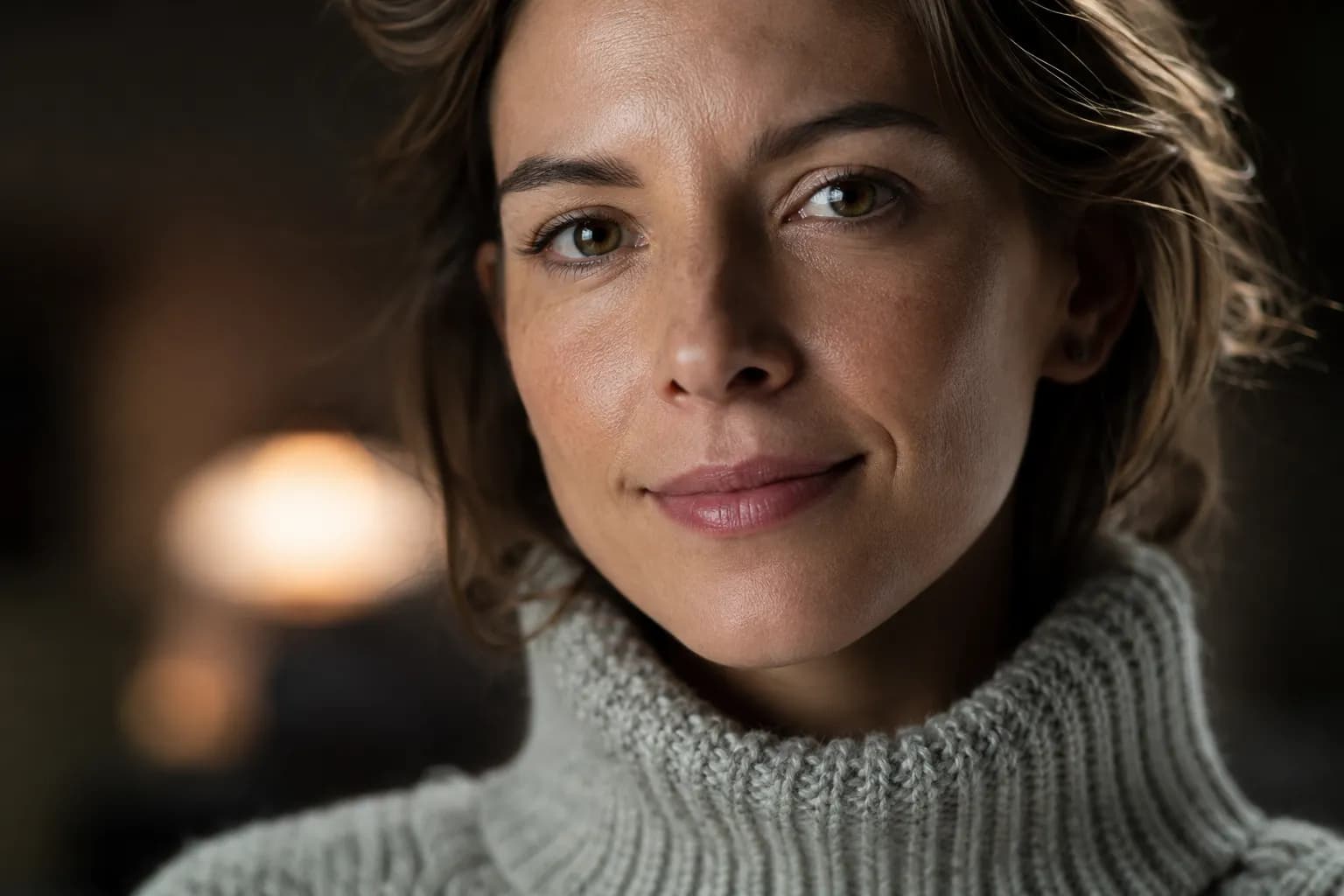
AI Art Prompt for Cinematic Human Portraits
Best For: Professional portraits, LinkedIn profile images, fashion photography, and realistic character generation.
Why This Prompt Works
This prompt combines professional camera settings, realistic lighting, shallow depth of field, and detailed skin textures to create a portrait that closely resembles a real photograph. The use of Rembrandt lighting, realistic catchlights, and optical lens characteristics helps eliminate the artificial appearance often seen in AI-generated portraits.
Quick Customization Tips
- Change the Subject: Replace “female professional” with “focused executive,” “fashion model,” or “startup founder.”
- Adjust the Lighting: Switch from 5600K daylight lighting to 3200K warm golden-hour lighting for a sunset effect.
- Modify the Lens: Replace the 85mm lens with a 35mm lens for environmental portraits or a 135mm lens for stronger background compression.
- Change the Outfit: Swap the wool sweater for a blazer, leather jacket, business suit, or casual streetwear.
Recommended Negative Prompts
blurry, low-resolution, plastic skin, distorted eyes, extra fingers, overexposed highlights, unrealistic facial features, cartoon style
AI Image Prompt for Hyper-Realistic Nature Landscapes
Best For: Landscape photography, travel visuals, nature art, wallpaper creation, and cinematic environmental scenes. .
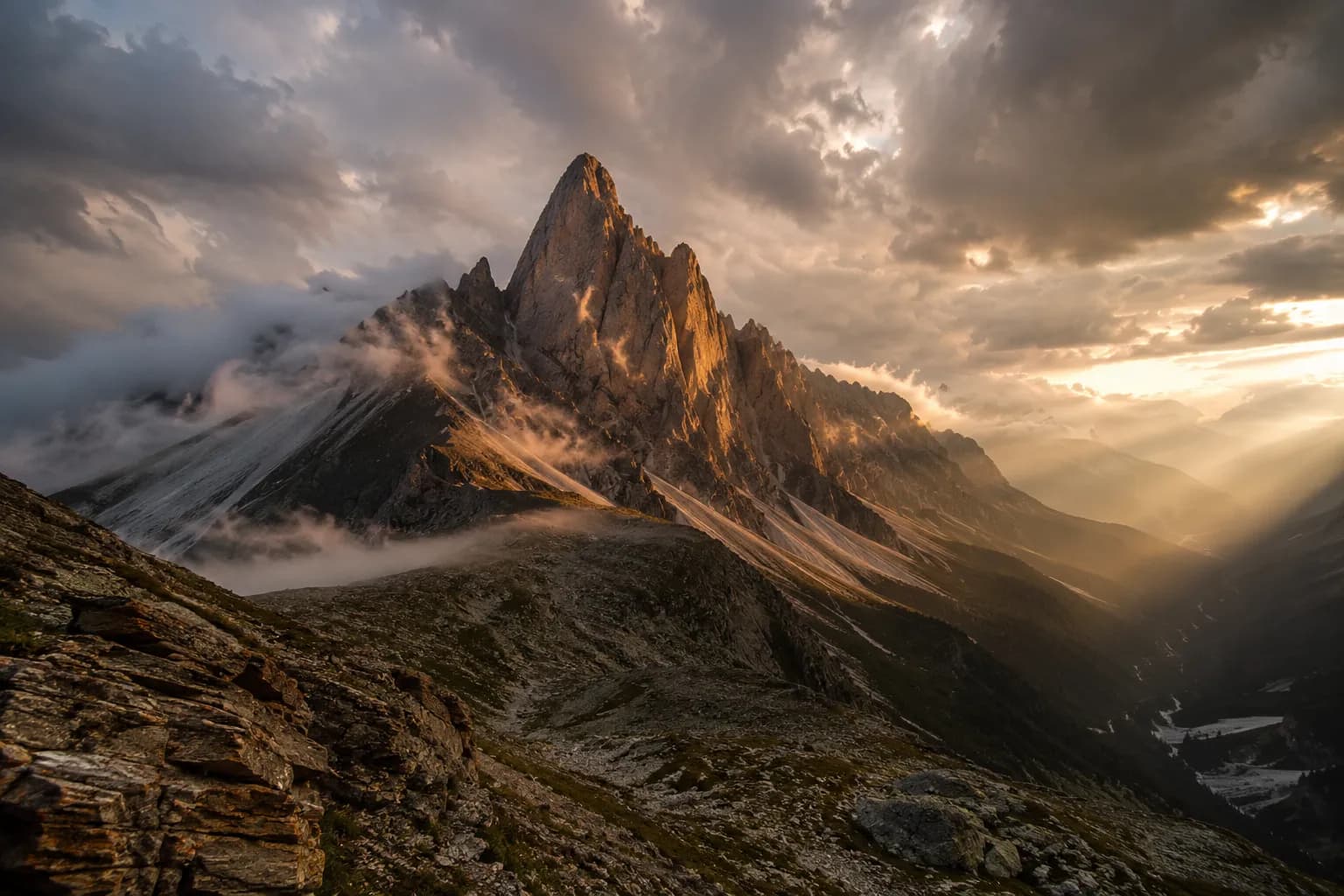
Generated using ChatGPT Image Generation, May 2026
Why This Prompt Works
This prompt combines professional landscape photography techniques with realistic environmental conditions. The golden-hour lighting creates natural contrast and depth, while storm clouds, mist, and crepuscular rays add atmosphere and visual drama. The wide-angle lens captures expansive scenery, and the detailed texture instructions help generate realistic rock formations, shadows, and terrain features.
Quick Customization Tips
- Change the Location: Replace the granite mountain peak with a tropical rainforest, desert canyon, glacier valley, coastal cliff, or volcanic landscape.
- Adjust the Weather: Swap the storm clouds for clear blue skies, gentle snowfall, dense fog, or dramatic thunderstorms.
- Modify the Time of Day: Change golden hour to sunrise, midday, blue hour, or moonlit night for a completely different mood.
- Experiment with Lenses: Use a 14mm ultra-wide lens for epic scale or a 70–200mm telephoto lens to compress distant mountain ranges.
Recommended Negative Prompts
blurry, low-resolution, oversaturated colors, cartoon style, unrealistic clouds, artificial lighting, distorted terrain, low-detail textures, painting effect
AI Prompts for Realistic Fantasy Characters
Best For:Fantasy character design, RPG artwork, book covers, game concept art, and cinematic fantasy scenes. .

Generated using Ideogram.ai, May 2026
Why This Prompt Works
This prompt balances fantasy elements with realistic visual details. Instead of relying solely on magical effects, it grounds the character in believable textures, lighting, clothing materials, and environmental storytelling. The detailed armor, realistic skin textures, and cinematic moonlight help create a fantasy character that feels authentic rather than cartoonish.
Quick Customization Tips
- Change the Character Class: Replace the shadow assassin with a paladin, ranger, mage, dragon hunter, necromancer, or royal knight.
- Modify the Environment: Swap the Gothic castle for an enchanted forest, volcanic forge, ancient temple, frozen tundra, or underground cavern.
- Adjust the Lighting: Use torchlight, sunrise lighting, glowing magical crystals, lava illumination, or storm-lit skies for a different mood.
- Change the Art Direction: Switch from grimdark fantasy to high fantasy, dark fantasy, medieval realism, or cinematic epic fantasy.
Recommended Negative Prompts
cartoon style, anime style, low detail, blurry textures, unrealistic armor, extra limbs, distorted face, low-resolution image, oversaturated colors, plastic skin
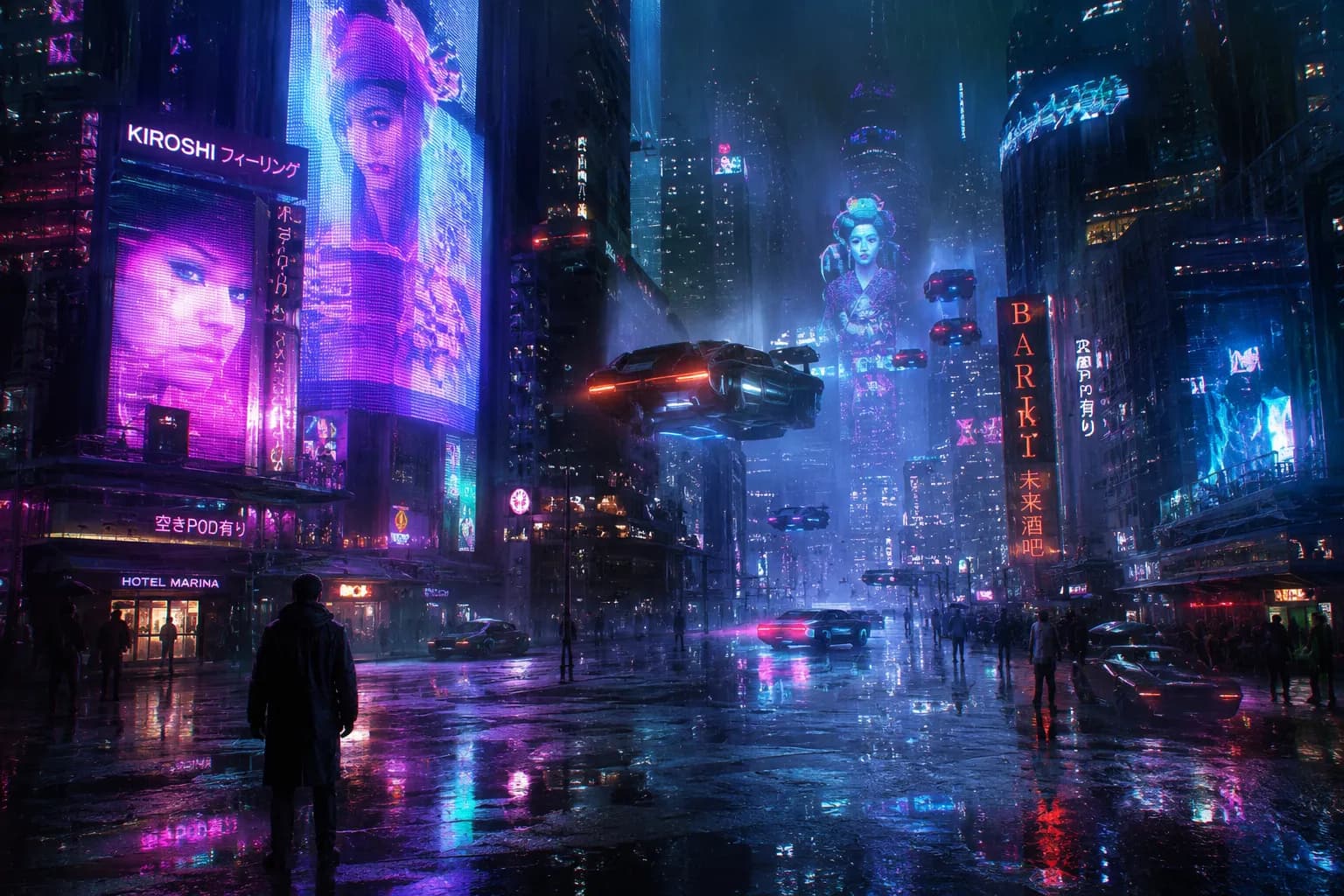
AI Art Prompt for Photorealistic Cyberpunk City Scenes
Best For:Cyberpunk artwork, futuristic cityscapes, sci-fi concept art, gaming environments, and cinematic visual storytelling. .
Why This Prompt Works
This prompt combines the defining elements of cyberpunk aesthetics: neon lighting, futuristic architecture, advanced technology, and moody weather conditions. Rain-soaked surfaces and reflective puddles enhance realism by creating natural light reflections, while fog and atmospheric depth help make the city feel massive and immersive. The cinematic camera settings add a film-like quality that elevates the overall visual impact.
Quick Customization Tips
- Change the Color Palette: Replace pink and cyan neon lights with teal and orange, red and gold, or monochromatic blue tones.
- Modify the Weather: Switch heavy rainfall to light drizzle, dense fog, snow-covered streets, or a clear neon-lit night.
- Adjust the Environment: Add rooftop markets, elevated transit systems, underground alleys, floating advertisements, or futuristic corporate districts.
- Include Characters: Introduce a cybernetic detective, street hacker, android merchant, or futuristic biker to create a story-driven scene.
Recommended Negative Prompts
cartoon style, anime style, blurry image, low-resolution textures, unrealistic reflections, flat lighting, low-detail buildings, oversaturated colors, distorted vehicles, low-quality rendering
Best Prompt for AI Food Photography Images
Best For: Food blogs, restaurant marketing, recipe books, social media content, menu design, and commercial food photography. .
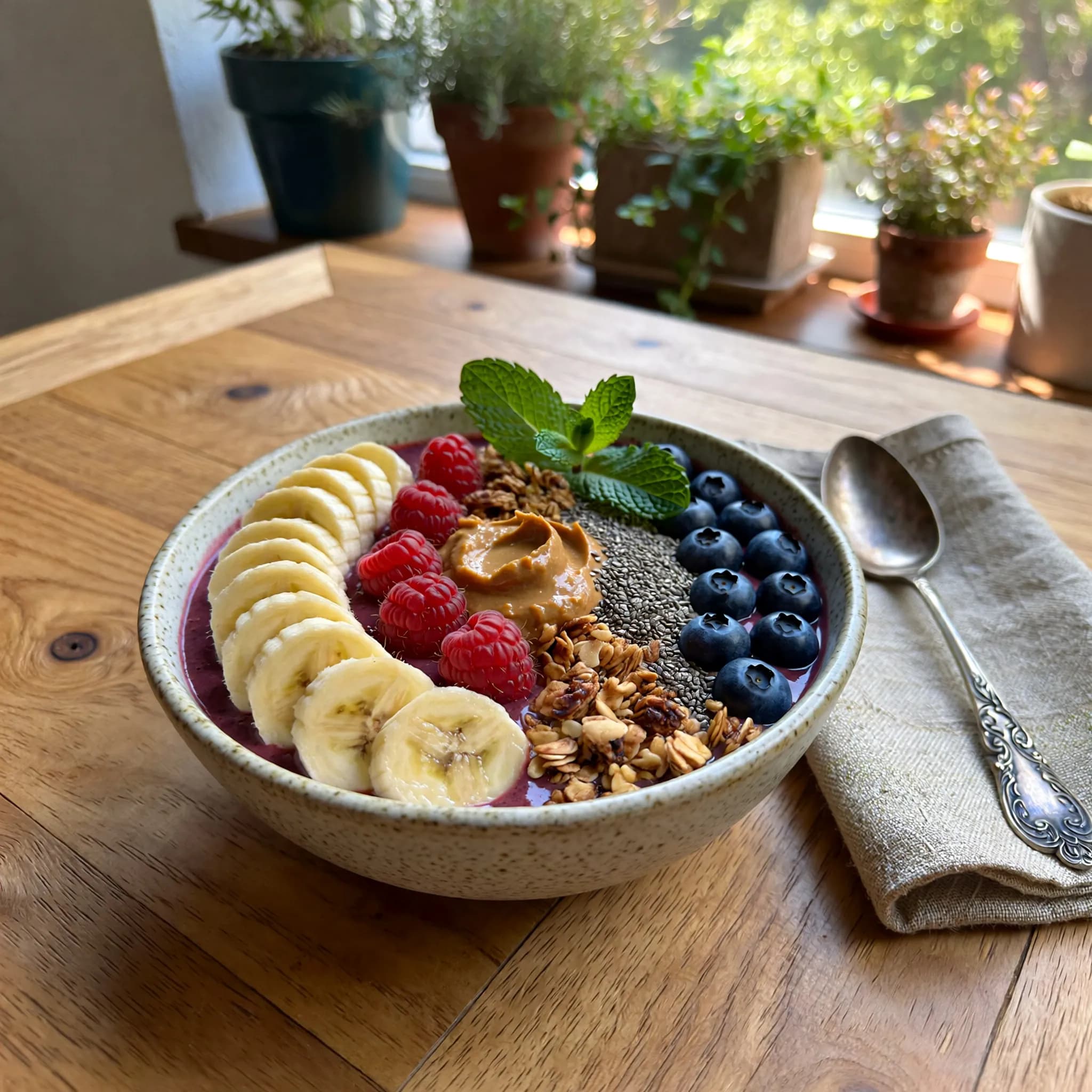
Generated using Leonardo.ai, May 2026
Why This Prompt Works
This prompt recreates the visual style commonly used in professional food photography. Detailed ingredient descriptions make the dish look fresh and realistic, while natural lighting enhances textures and color accuracy. The shallow depth of field draws attention to the food, and carefully selected props create a lifestyle aesthetic that performs well on social media and marketing materials.
Quick Customization Tips
- Change the Dish: Replace the smoothie bowl with pancakes, pasta, sushi, burgers, desserts, salads, or traditional regional cuisine.
- Modify the Lighting: Use golden-hour sunlight, bright studio lighting, moody café lighting, or candlelight for a different atmosphere.
- Adjust the Camera Angle: Use a top-down flat lay, an eye-level perspective, or a close-up macro shot to highlight different food details.
- Change the Setting: Place the dish in a modern café, luxury restaurant, outdoor brunch setting, farmhouse kitchen, or elegant dining table.
- Experiment with Styling: Add fresh herbs, sauces, spices, drinks, tableware, or seasonal decorations for enhanced visual appeal.
Recommended Negative Prompts
blurry image, overexposed lighting, artificial-looking food, melted textures, low-resolution image, distorted ingredients, unrealistic colors, messy plating, cartoon style, poor food presentation
AI Prompts for Realistic Animal Photography
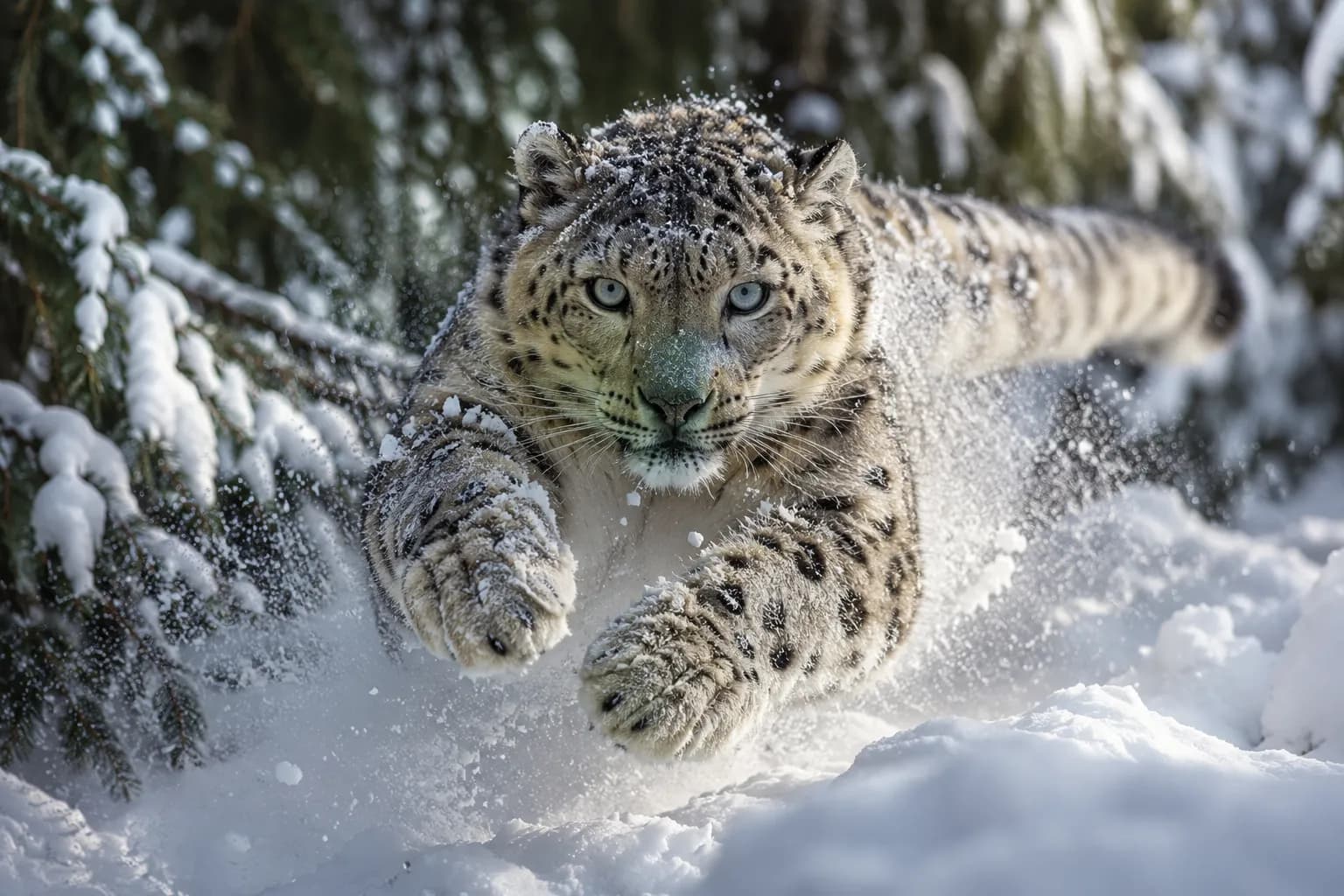
Best For: Wildlife photography, nature documentaries, educational content, animal artwork, conservation campaigns, and magazine-quality visuals.
Why This Prompt Works
This prompt mimics the techniques used by professional wildlife photographers. The telephoto lens creates natural background compression, while the action-focused composition adds energy and realism. Detailed fur textures, snow particles, and environmental lighting help the image feel authentic and immersive rather than artificially generated.
Quick Customization Tips
- Change the Animal: Replace the snow leopard with a tiger, wolf, eagle, polar bear, fox, elephant, or cheetah.
- Modify the Habitat: Swap snowy mountains for African savannas, tropical rainforests, desert dunes, wetlands, or Arctic landscapes.
- Adjust the Action: Use running, hunting, swimming, flying, stalking prey, or resting behaviors to create different visual stories.
- Experiment with Lenses: Use a 400mm telephoto lens for distant wildlife shots or a 100mm macro lens for extreme close-up animal details.
- Change the Lighting: Try golden-hour sunlight, dramatic storm lighting, misty dawn conditions, or moonlit nighttime scenes.
Recommended Negative Prompts
cartoon style, blurry fur, low-resolution image, distorted anatomy, unrealistic eyes, oversaturated colors, poor lighting, extra limbs, painting effect, artificial textures
AI Image Prompt for Luxury Interior Design Renders
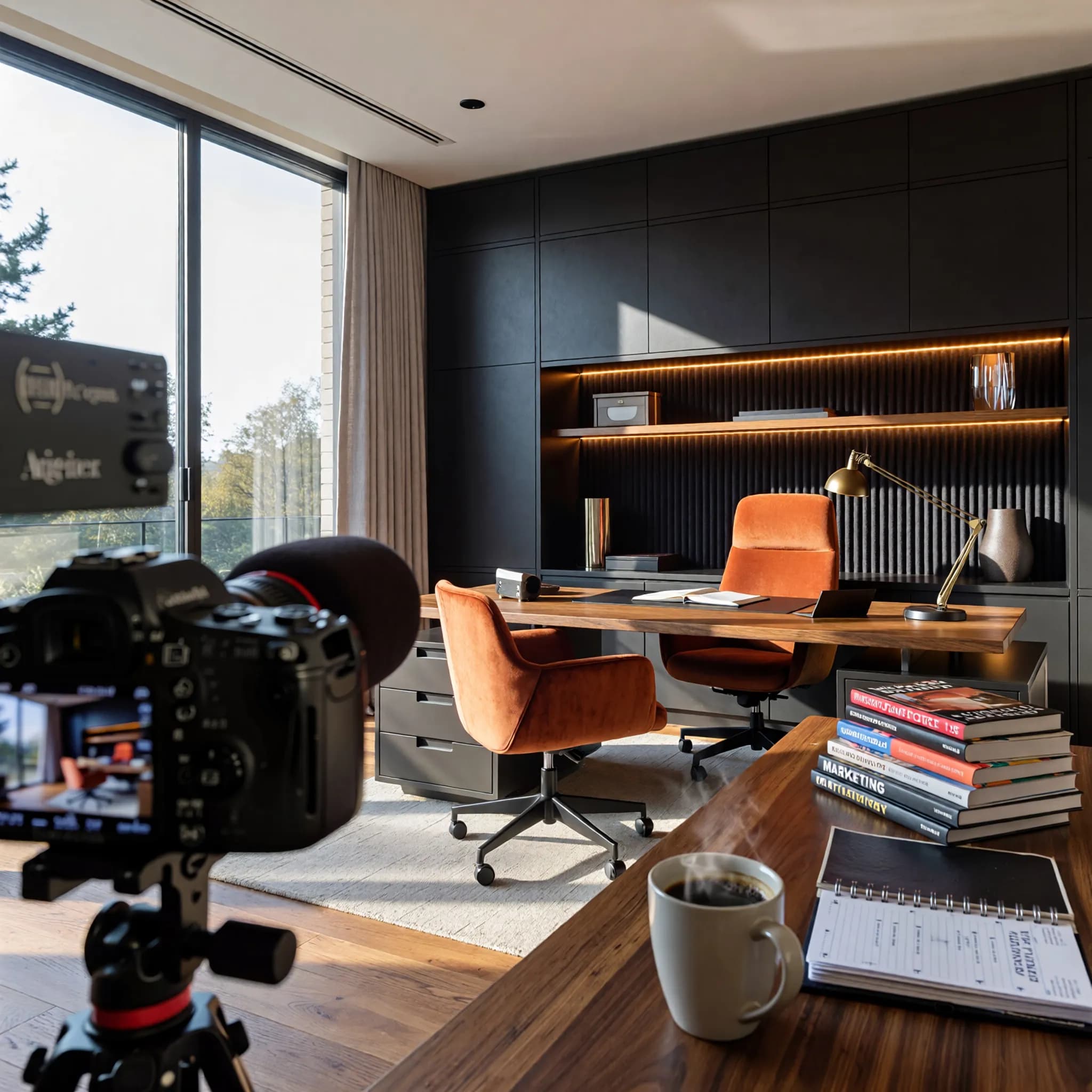
Best For:Interior design concepts, luxury home visualizations, architecture portfolios, real estate marketing, home décor inspiration, and commercial design presentations.
Why This Prompt Works
This prompt combines premium materials, realistic lighting, and carefully placed lifestyle elements to create a space that feels both luxurious and lived-in. The wide-angle perspective captures the room's layout effectively, while the natural sunlight and ambient lighting add depth, warmth, and realism. Small environmental details help transform the scene from a showroom render into a believable working space.
Quick Customization Tips
- Change the Room Type: Replace the home office with a luxury living room, executive workspace, bedroom, kitchen, gaming studio, or penthouse lounge.
- Modify the Design Style: Switch to Scandinavian, Japandi, industrial, minimalist, contemporary, mid-century modern, or classic luxury interiors.
- Adjust the Materials: Experiment with marble, brushed brass, natural stone, leather upholstery, oak wood, or glass accents.
- Change the Lighting: Use golden-hour sunlight, moody evening lighting, dramatic architectural shadows, or bright daylight conditions.
- Add Lifestyle Elements: Include laptops, artwork, plants, designer lamps, magazines, candles, or coffee table décor to create a more personalized atmosphere.
Recommended Negative Prompts
cluttered room, low-resolution render, unrealistic proportions, poor lighting, distorted furniture, oversaturated colors, empty space, cartoon style, blurry textures, low-detail materials
AI Art Prompt for Photorealistic Fashion Photography
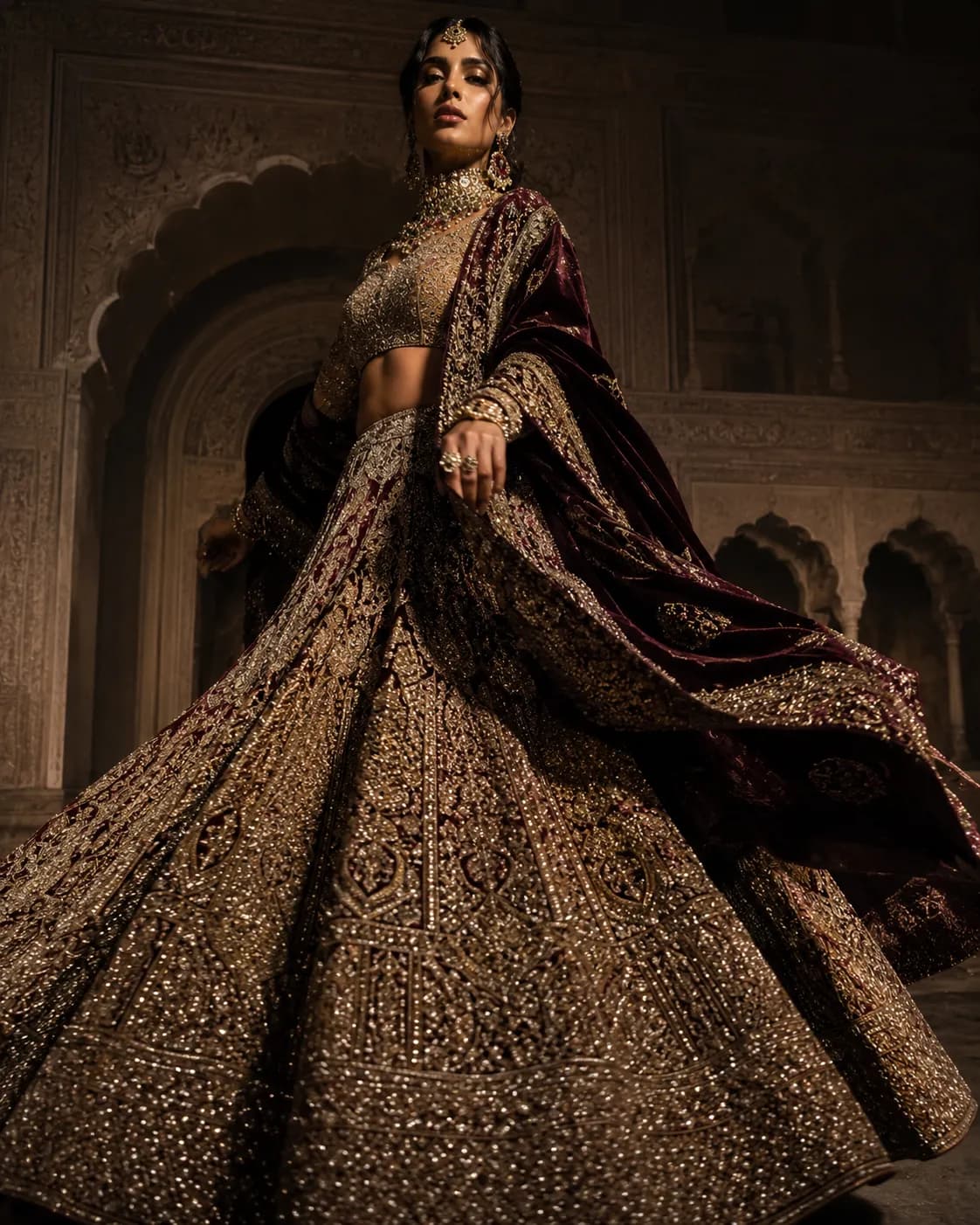
Best For:Fashion editorials, magazine covers, clothing brand campaigns, luxury advertisements, lookbooks, and social media fashion content.
Why This Prompt Works
This prompt combines professional fashion photography techniques with luxury styling details. The low-angle camera perspective enhances the model's presence, while Rembrandt lighting adds depth and sophistication. Detailed fabric descriptions help AI generate realistic textile textures, embroidery patterns, and movement, resulting in images that resemble high-end editorial fashion shoots.
Quick Customization Tips
- Change the Outfit: Replace the bridal lehenga with a couture gown, designer suit, streetwear collection, luxury evening dress, or traditional cultural attire.
- Experiment with Camera Angles: Try eye-level, high-angle, worm's-eye view, or Dutch tilt perspectives to create different visual effects.
- Modify the Lighting Style: Use Butterfly Lighting, Golden Hour lighting, Split Lighting, Loop Lighting, or dramatic studio lighting.
- Adjust the Pose: Create walking runway shots, seated fashion portraits, candid movement shots, or powerful editorial poses.
- Change the Background: Use luxury hotels, historic palaces, modern cityscapes, fashion studios, or outdoor architectural locations.
Recommended Negative Prompts
blurry image, low-resolution details, distorted body proportions, unrealistic fabric textures, poor lighting, extra limbs, awkward pose, oversaturated colors, cartoon style, low-quality fashion photography
AI Prompts for Realistic Sci-Fi Space Art
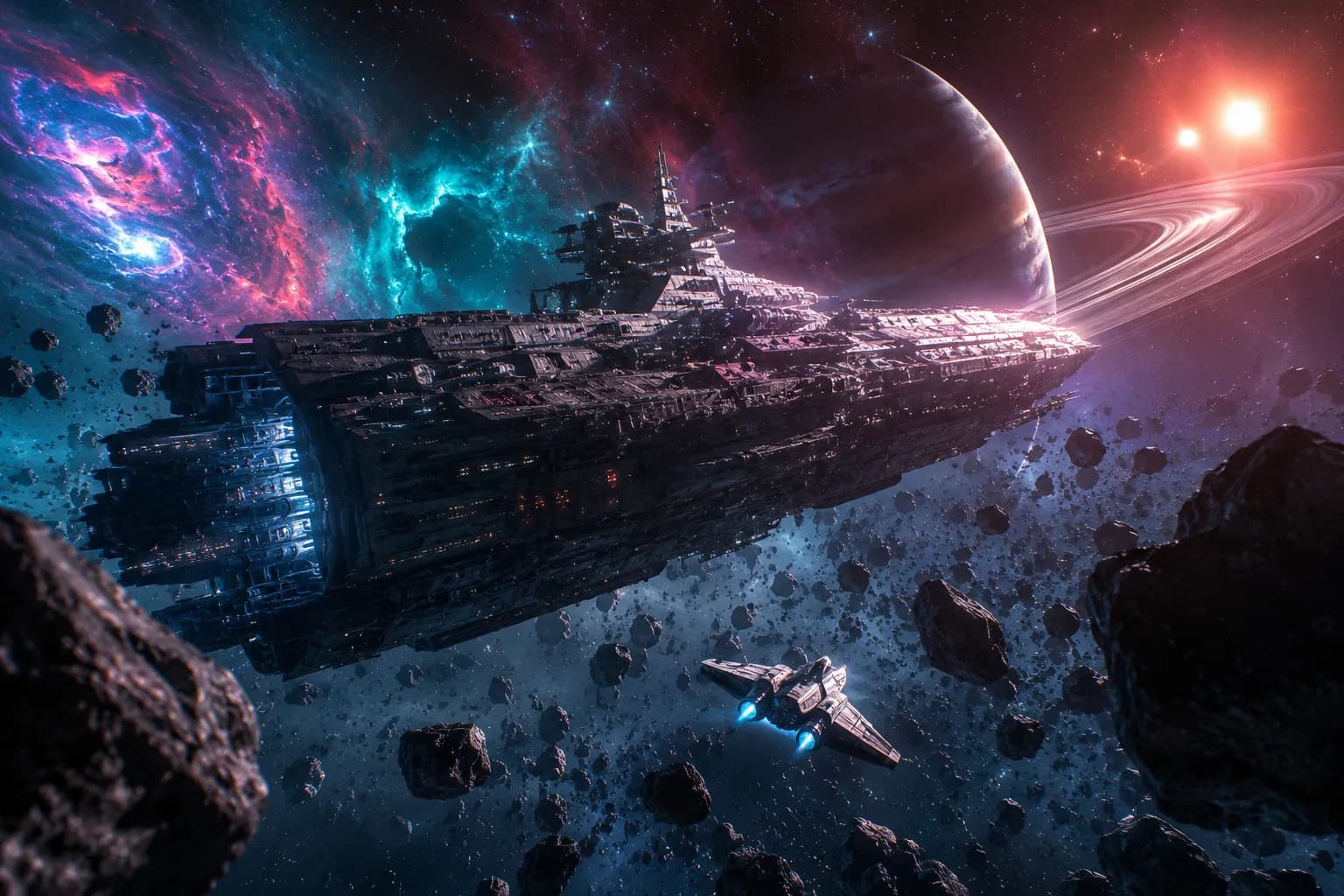
Best For:Sci-fi concept art, space opera illustrations, game environments, movie posters, book covers, and futuristic visual storytelling.
Why This Prompt Works
This prompt combines realistic spacecraft engineering details, cinematic lighting, and large-scale environmental storytelling to create an immersive sci-fi scene. The contrast between the enormous dreadnought and the tiny scout ship instantly establishes scale, while multiple light sources add depth and realism. Detailed mechanical textures help the spacecraft feel tangible rather than purely fictional.
Quick Customization Tips
- Change the Spacecraft: Replace the dreadnought with a battleship, exploration vessel, cargo freighter, alien mothership, or advanced fighter squadron.
- Modify the Environment: Use planetary rings, black holes, nebulae, deep-space stations, asteroid mining colonies, or shattered moons.
- Adjust the Lighting: Experiment with blue supergiants, red dwarf stars, glowing nebulae, solar flares, or eclipse lighting effects.
- Choose a Different Art Style: Shift between hard sci-fi realism, retro-futurism, cinematic space opera, military sci-fi, or futuristic realism.
- Add Story Elements: Include space battles, damaged hulls, docking sequences, exploration missions, or alien encounters.
Recommended Negative Prompts
blurry image, cartoon style, 2D illustration, plastic textures, low-resolution details, unrealistic spacecraft design, flat lighting, oversaturated colors, poor rendering quality, low-detail environment
AI Image Prompt for Vintage Cinematic Scenes
Best For: Retro movie posters, vintage storytelling, cinematic artwork, historical recreations, nostalgic social media content, and classic Hollywood-inspired visuals.
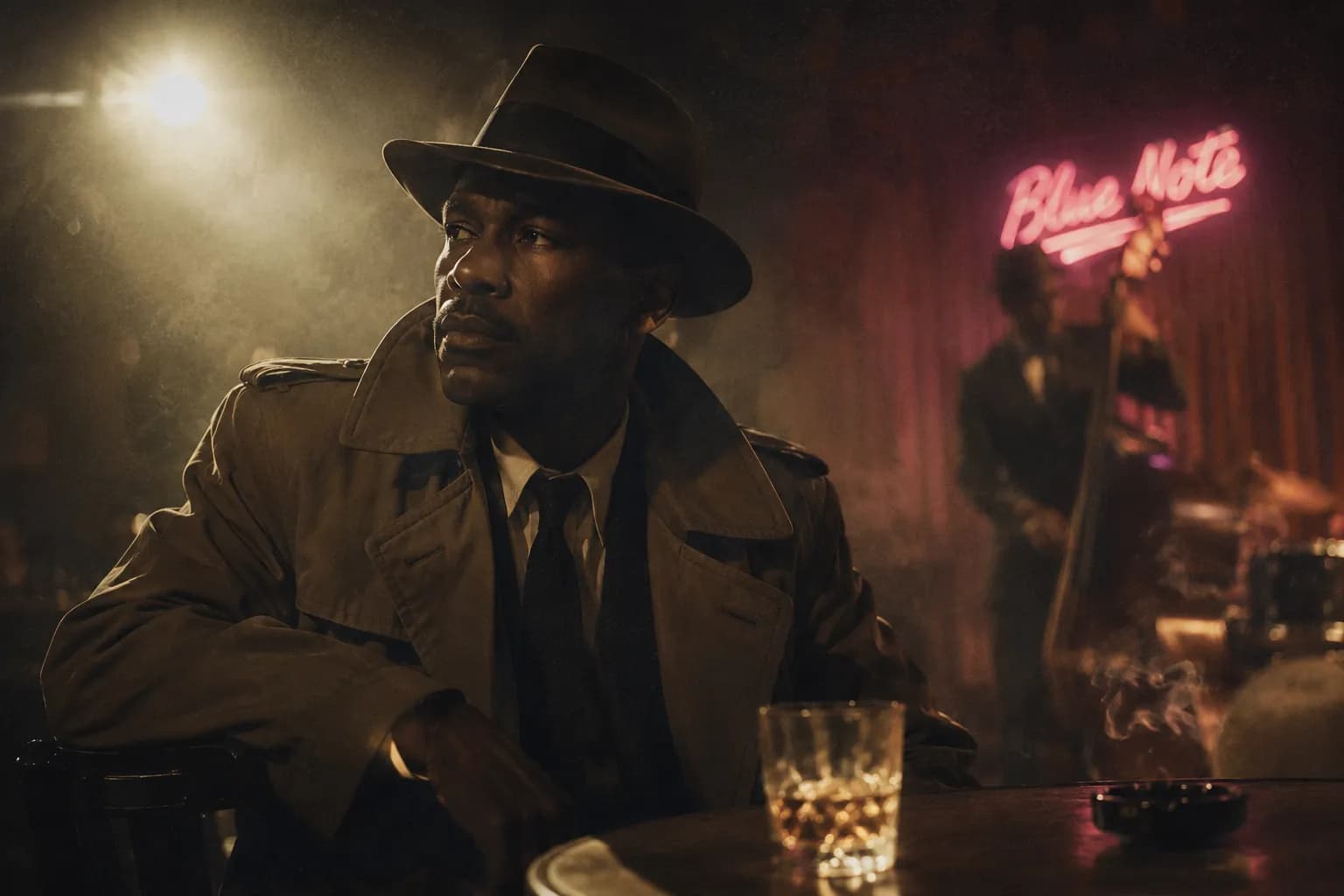
Generated using Leonardo.ai, May 2026
Why This Prompt Works
This prompt recreates the visual characteristics of vintage film photography by combining authentic film stock references, retro color grading, and natural imperfections. Film grain, light leaks, and cinematic lighting help the image feel like a genuine frame from a classic movie rather than a modern digital render. The wardrobe, environment, and mood further reinforce the historical authenticity.
Quick Customization Tips
- Change the Era: Replace the 1960s jazz club with a 1920s speakeasy, 1940s noir setting, 1970s city street, or 1980s retro diner.
- Modify the Film Stock: Experiment with Kodak Portra 400, Cinestill 800T, Kodak Gold 200, Fujifilm Pro 400H, or generic 35mm film photography styles.
- Adjust the Color Grading: Use sepia tones, black-and-white cinema, muted pastel palettes, warm vintage hues, or teal-and-orange cinematic grading.
- Change the Character: Feature a jazz musician, detective, actress, writer, businessman, or traveler to create different storylines.
- Add Environmental Details: Include vintage cars, vinyl records, old newspapers, neon storefronts, antique furniture, or classic city streets.
Recommended Negative Prompts
modern clothing, digital photography look, clean image, CGI appearance, low-resolution details, oversaturated colors, cartoon style, futuristic objects, plastic textures, poor lighting
Prompt Elements That Often Have Less Impact Than Expected
Many AI users assume that certain popular keywords automatically improve image quality. However, detailed scene descriptions often have a greater effect on realism than generic quality-related phrases.
Examples of commonly used terms that may have limited impact compared to lighting, textures, and composition include:
- masterpiece
- best quality
- award-winning
- trending on ArtStation
- 8K
- ultra-high quality
In many cases, replacing generic quality keywords with more specific descriptions of lighting, materials, camera angles, or environmental details leads to more realistic and consistent image generation results.
Tips to Write Better AI Prompts for Photorealism
While the examples above can be used as ready-made templates, creating your own photorealistic prompts requires understanding how different prompt components influence the final image.
Many creators focus heavily on the subject but overlook factors such as:
- lighting
- lens choice
- camera angle
- environmental context
- and negative prompts.
These details often have a greater impact on realism than adding generic words like “ultra-realistic” or “masterpiece.”
When building prompts, think like a professional photographer rather than an AI user.
Describe what the camera sees, how the scene is lit, what textures are visible, and what should be excluded from the image.
The most realistic results usually come from a process of experimentation and refinement. Small adjustments to lighting, focal length, composition, or environmental details can dramatically improve image quality.
Elements of a Photorealistic AI Prompt
| Prompt Element | Purpose | Example |
|---|---|---|
| Subject | Main focus | Fashion model |
| Environment | Scene context | Paris street |
| Camera | Photography realism | Sony A7R V |
| Lens | Perspective control | 85mm lens |
| Lighting | Mood and realism | Golden hour |
| Texture | Surface details | Visible skin pores |
| Composition | Framing | Eye-level portrait |
| Negative Prompt | Removes errors | No blur |
Common Mistakes to Avoid in AI Art Prompt Writing
- Using vague keywords: Replace terms like “beautiful” or “high quality” with specific details about the subject, lighting, and environment.
- Mixing too many styles: Combining multiple art styles often creates inconsistent results.
- Ignoring lighting: Lighting has a major impact on realism. Specify conditions such as golden hour, soft window light, or Rembrandt lighting.
- Skipping negative prompts: Use negative prompts to remove unwanted elements like blur, distorted faces, or cartoon effects.
- Overloading the prompt: Too many instructions can confuse the AI and reduce accuracy.
- Forgetting camera settings: Camera models, lenses, and depth of field help create realistic photography effects.
- Expecting perfect results immediately: AI image generation is an iterative process. Refine and test your prompts for better results.
The Growing Role of AI Prompts in Marketing, Content Creation, and Video Generation
AI image prompting is no longer limited to designers and digital artists. Small business owners, marketers, content creators, and entrepreneurs increasingly use AI-generated visuals for social media posts, blog graphics, advertisements, presentations, product mockups, and marketing campaigns.
A common pattern seen across creator communities and professional networks is that users who provide clear instructions about the subject, style, mood, lighting, and composition often achieve significantly better results than those using generic prompts.
For example, a prompt such as
“Create a business image”
typically produces a generic output like this:
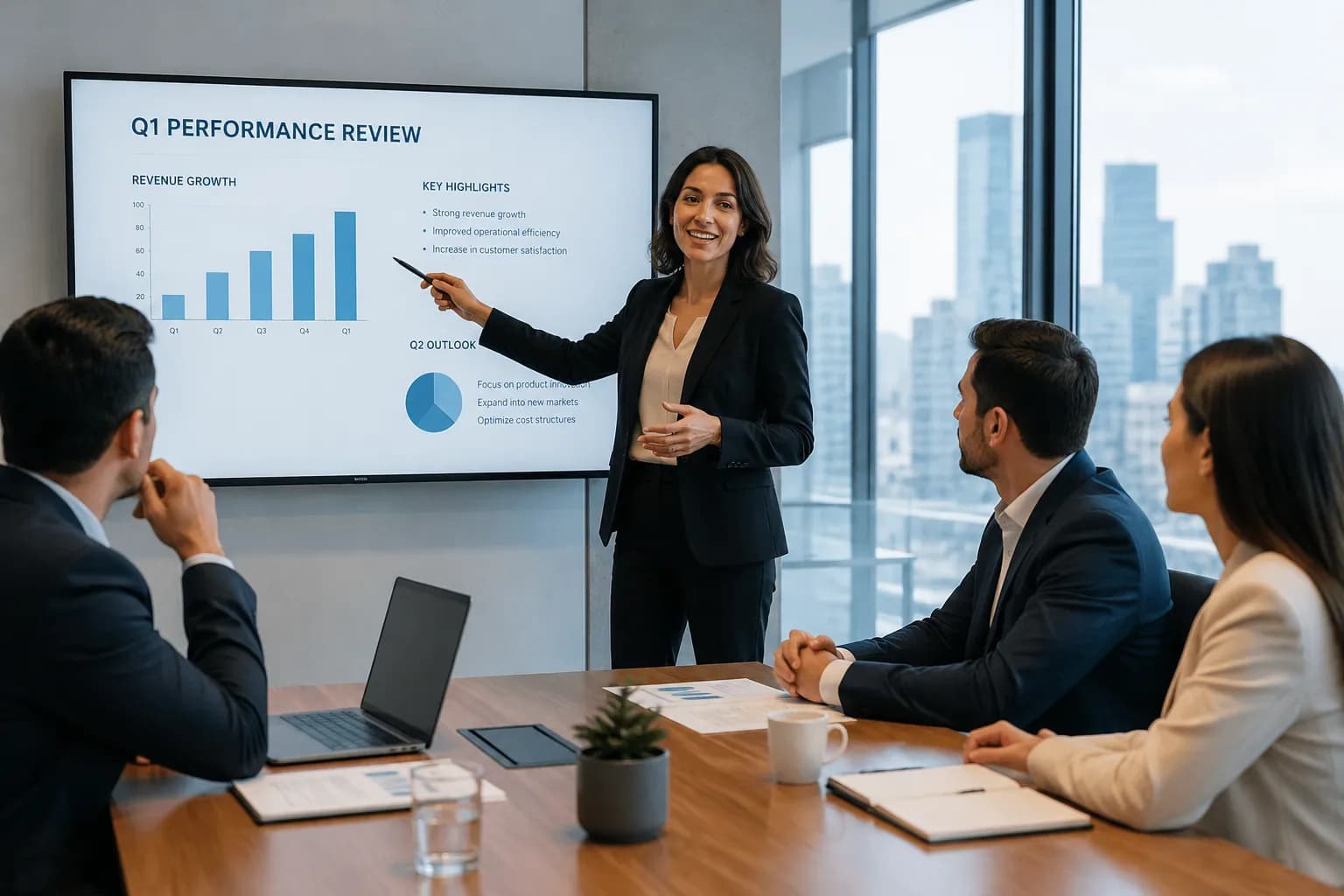
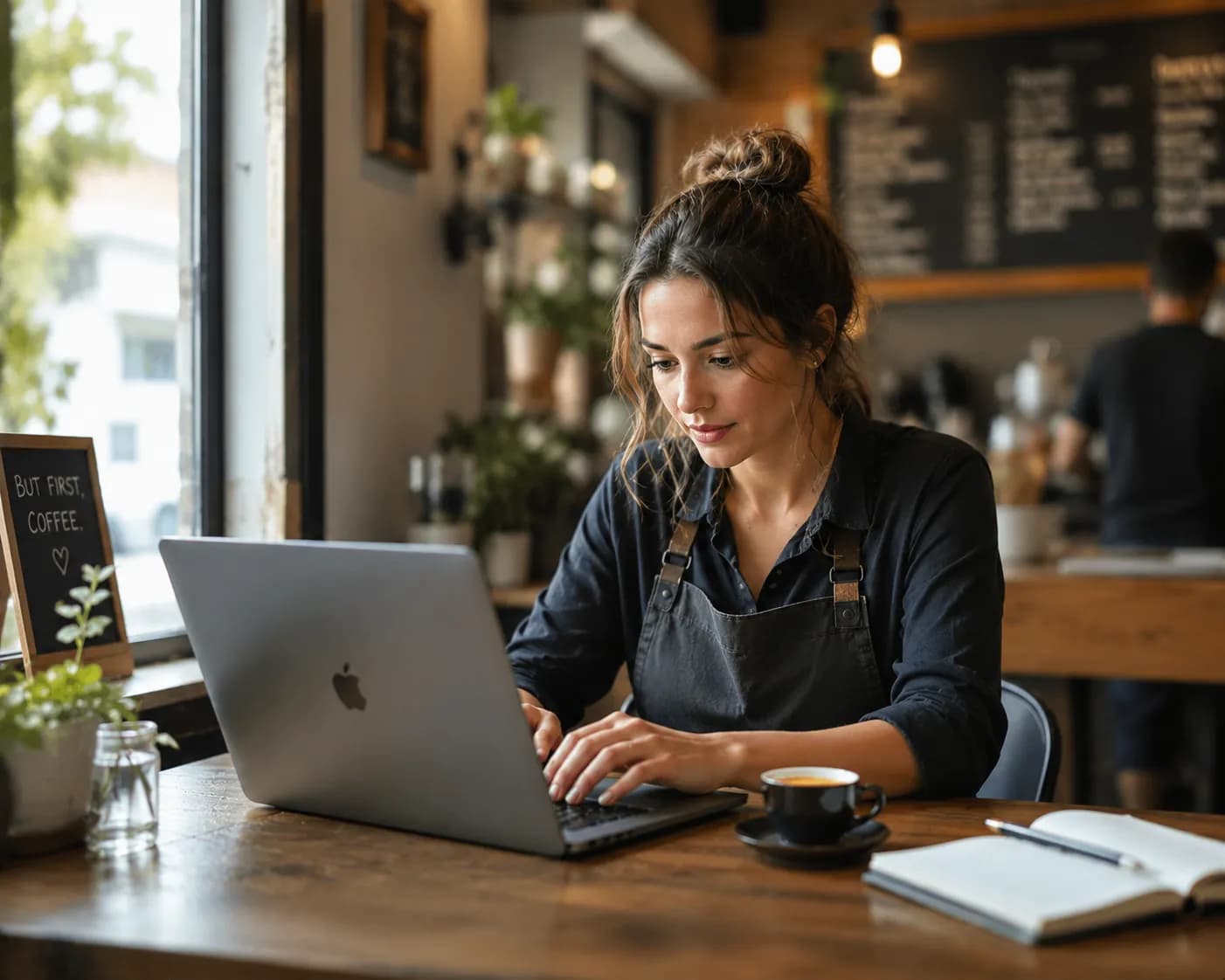
A more detailed prompt, such as
“A realistic photograph of a small business owner working on a laptop in a cozy café, soft natural window lighting, authentic workspace atmosphere, shallow depth of field, professional business photography style.”
gives the AI much clearer instructions and often results in a more usable image, like this:
One trend becoming increasingly visible across creator communities and professional networks is the shift from simple image generation to AI-assisted content production workflows.
Many marketers, entrepreneurs, and content creators now use prompts not only to generate images but also to create product visuals, ad creatives, social media content, presentations, storyboards, and even short-form videos.
The rapid growth of AI video tools such as Gemini Veo, Runway, Kling, Pika, and Luma suggests that prompt writing is evolving beyond image generation. The same principles used to create realistic AI images, clear subjects, detailed scenes, lighting instructions, and visual context are increasingly being applied to video generation as well.
For businesses, this means a single well-written prompt can often be adapted across multiple content formats, from blog graphics and social media posts to video concepts and marketing assets.
Best AI Tools to Use with These AI Image Prompts
- Midjourney: It is the best AI image generation tool for creating hyper-realistic, and stylized outcomes.
- Adobe Firefly: You can use it for commercial designing. It is trained to avoid copyright issues.
- DALL-E 3: This one is highly integrated with ChatGPT.
- Ideogram: If you want to have readable words in your final image, you can go for this tool.
- Leonardo.ai: It is best when it comes to providing realistic photography, surface textures, and lighting.
- ChatGPT Image Generation: Useful for generating and refining detailed image prompts while creating images directly within the workflow.
- Claude: Helpful for brainstorming, refining, and expanding image prompts before using them in image generation tools.
- Krea: It is best for enhancing AI sketches or if you want to convert low-resolution frames into detailed outputs.
AI Image Generator Comparison
| Tool | Best For | Photorealism | Text Rendering | Ease of Use | Free Plan |
|---|---|---|---|---|---|
| ChatGPT Image Generation | General use and prompt refinement | High | Good | Easy | Yes |
| Midjourney | Artistic realism and cinematic visuals | Excellent | Average | Medium | No |
| DALL-E | Realistic scenes and image editing | High | Good | Easy | Limited |
| Leonardo AI | Realistic textures and photography | High | Average | Medium | Yes |
| Ideogram | Images with readable text | Good | Excellent | Easy | Yes |
| Stable Diffusion | Advanced customization | High | Average | Advanced | Yes |
| Adobe Firefly | Commercial design projects | Good | Good | Easy | Yes |
| Krea | Image enhancement and upscaling | Good | Average | Easy | Yes |
Which AI Tool Is Best for Realistic Images?
- Best Overall: Midjourney
- Best for Beginners: ChatGPT Image Generation
- Best for Text in Images: Ideogram
- Best for Commercial Design: Adobe Firefly
- Best for Customization: Stable Diffusion
- Best for Product Photography: Leonardo AI
Midjourney vs ChatGPT for Realistic Images
Both Midjourney and ChatGPT Image Generation can create highly realistic images, but they excel in different areas.
Midjourney is widely preferred for cinematic visuals, atmospheric scenes, dramatic lighting, and artistic realism. It often produces visually striking results with minimal prompt adjustments.
ChatGPT Image Generation is generally better at following detailed instructions, making it useful for creators who need more control over specific subjects, text placement, scene composition, or product concepts.
If your goal is maximum cinematic realism, Midjourney is often the stronger choice. If your goal is prompt accuracy and ease of use, ChatGPT Image Generation is usually the better option.
Common Prompt Elements Used by Professional Creators
Many advanced prompt writers structure their prompts similarly to professional photography briefs.
A typical photorealistic prompt often includes the following:
- Subject description
- Environment or location
- Lighting style
- Camera type
- Lens specification
- Texture details
- Composition instructions
- Negative prompts
Instead of relying on generic keywords, professional creators usually focus on describing exactly what the camera should capture and how the scene should be lit.
This approach generally produces more consistent and realistic results across tools such as ChatGPT Image Generation, Midjourney, DALL-E, Leonardo AI, and Stable Diffusion.
Frequently Asked Questions (FAQ)
What makes an AI image look realistic?
Which AI image generator creates the most realistic photos?
How long should an AI image prompt be?
Do camera settings improve AI-generated images?
What are negative prompts?
Why do AI-generated faces sometimes look fake?
Can ChatGPT generate photorealistic images?
Is Midjourney better than DALL-E for realism?
How do I create realistic lighting in AI images?
Which lens settings work best for portrait prompts?
Conclusion
After testing and refining prompt variations across multiple AI image generation tools, one pattern became clear: realism depends less on using words like “masterpiece” or “ultra-detailed” and more on describing the scene the way a professional photographer would. Camera settings, lighting direction, texture details, environmental context, and negative prompts consistently had the greatest impact on image quality across ChatGPT, Midjourney, and DALL-E.
The examples in this guide can be used as starting points for portraits, landscapes, fashion photography, interiors, food photography, sci-fi scenes, and more. Experiment with different settings, refine your prompts, and keep testing variations to achieve the exact look you want.
About the Author:
Ryan Mitchell is a digital content researcher who studies AI image generation workflows, prompt engineering techniques, and visual content creation. His research focuses on how prompt structure, lighting descriptions, texture details, and composition instructions influence image quality across tools such as ChatGPT Image Generation, Midjourney, DALL-E, Leonardo AI, and Stable Diffusion. For this guide, he analyzed prompt patterns used across multiple AI image generation platforms to identify techniques that consistently improve realism and visual quality.